Match Controls
TournaQ's scorecard is the core of every game and tournament. It works the same way regardless of mode — two large team cards with + and − buttons, a serving player indicator, match context chips, and an undo option for corrections. The scorecard adapts to each format's rules: a countdown timer for Social Scramble, set tabs for Best of Three matches, escape and loss counters for Doghouse, and a session timer for King of the Court and Doghouse. Every scorecard is also available in landscape orientation for table-side or net-post use.
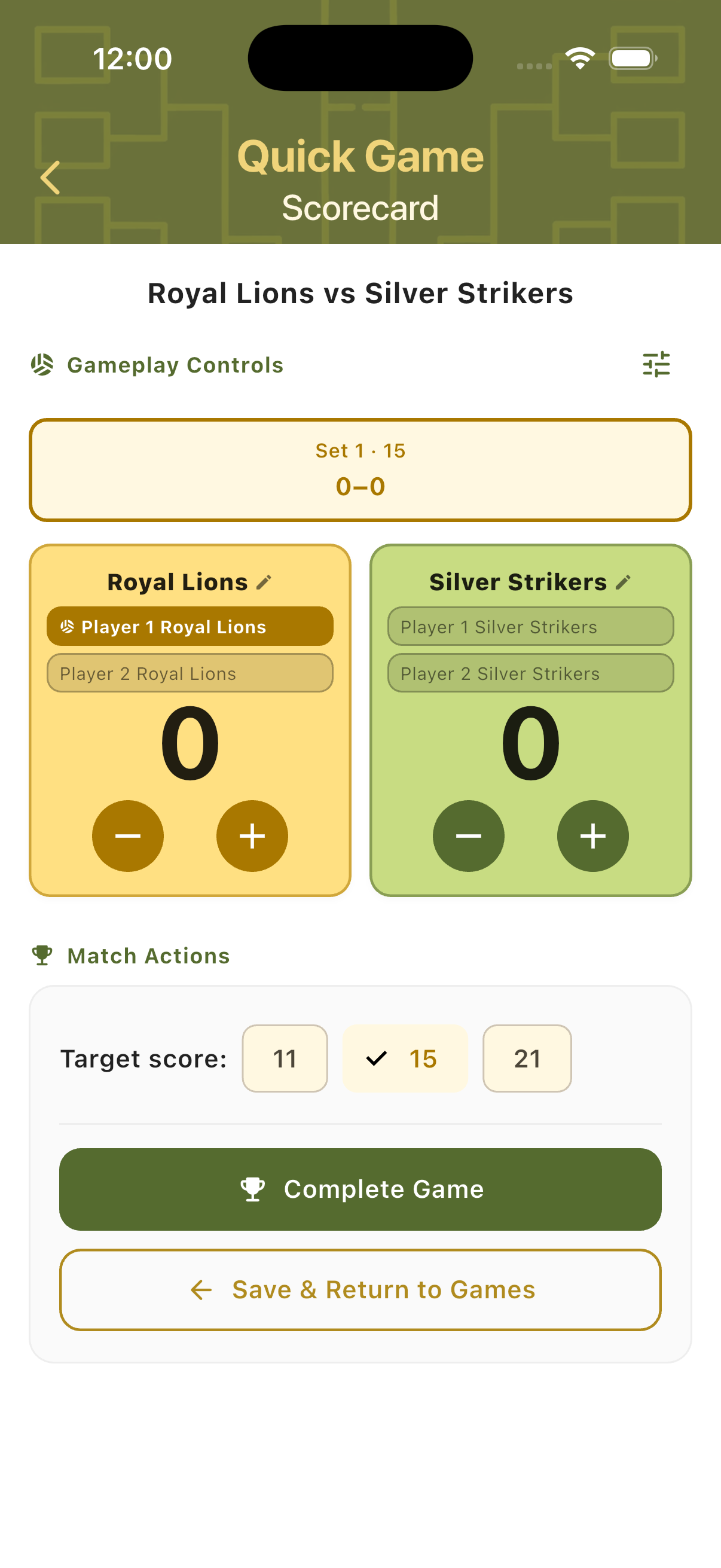
Scorecards Across Modes
Each mode has a scorecard tailored to its format. The core layout is consistent — team cards, score buttons, player names, match context — but the additional controls, timers, and counters adapt to what that mode needs.
Timer-Based Scoring
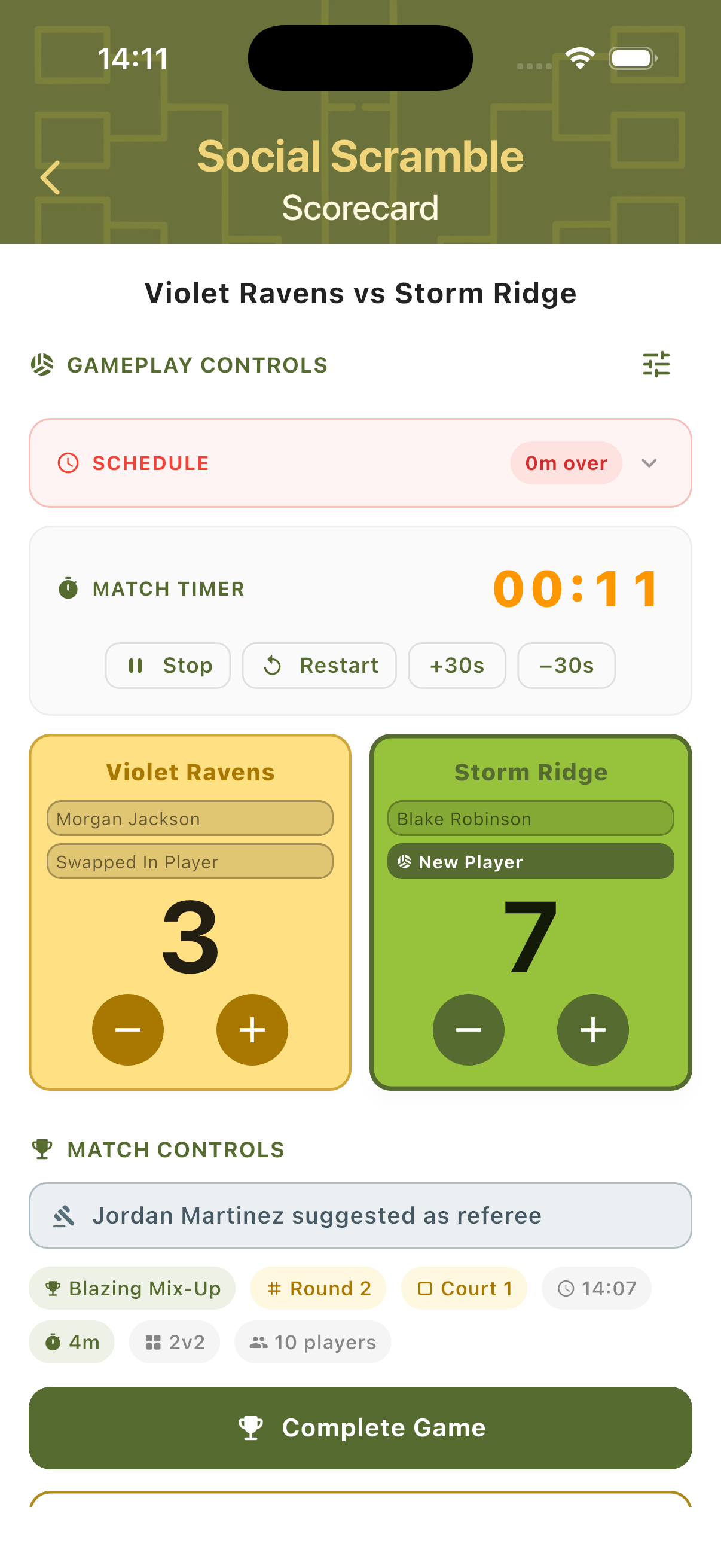
Social Scramble scorecards run a countdown timer for each match. The timer shows time remaining at the top. Both team cards show player names and scores. The schedule status (Overdue / Due / Upcoming) is shown inline. A suggested referee appears in the Match Controls section below. Tap Start Match to begin, or Manually Set Score to skip the timer.
Multi-Set Scoring
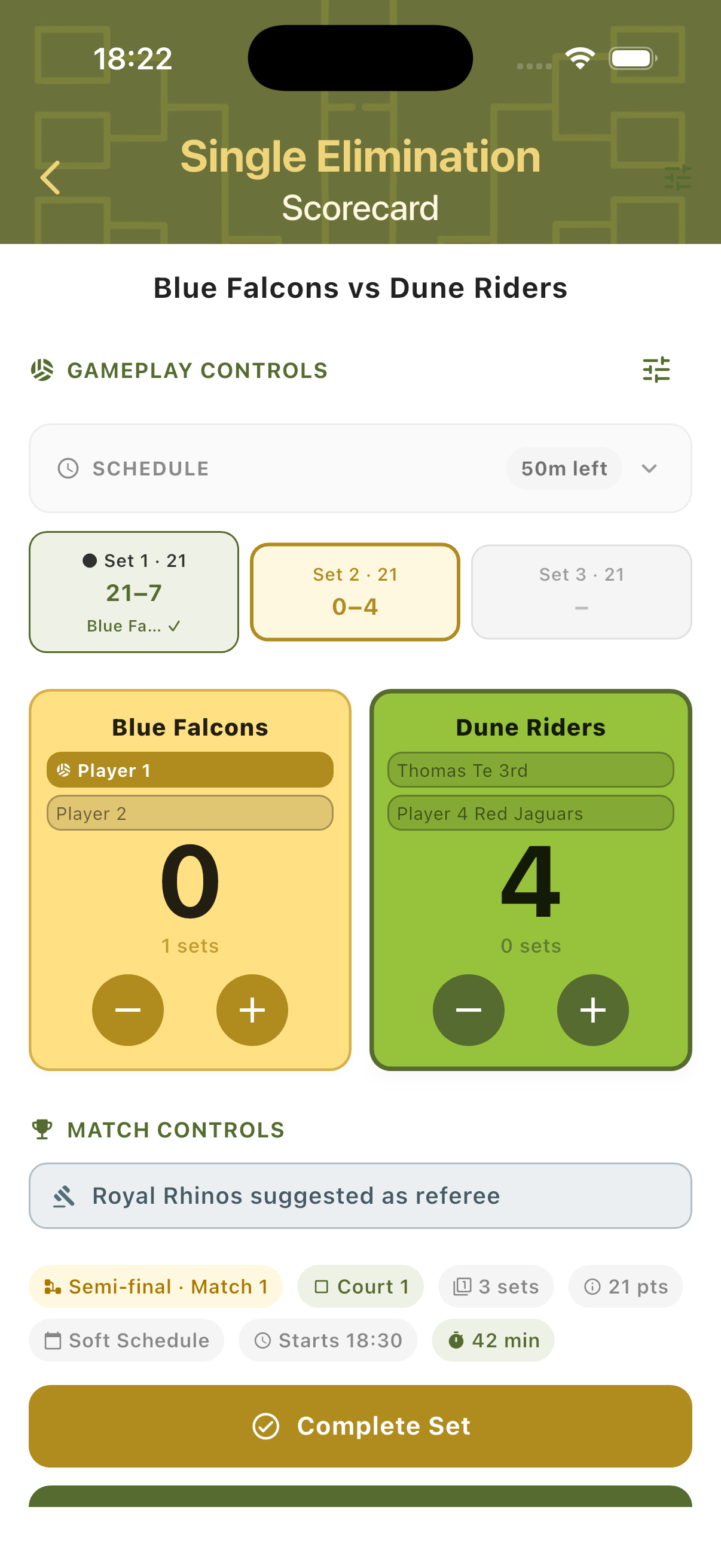
Bracket tournament scorecards (e.g. Eliminations) support Best of Three Sets. Set tabs run across the top — completed sets are greyed out with the final score, the active set is highlighted in gold, and the third tab is inactive until needed. The serving team's card is highlighted in gold; the leading team's card turns green. Tap Complete Set after each set.
Counter-Based Scoring
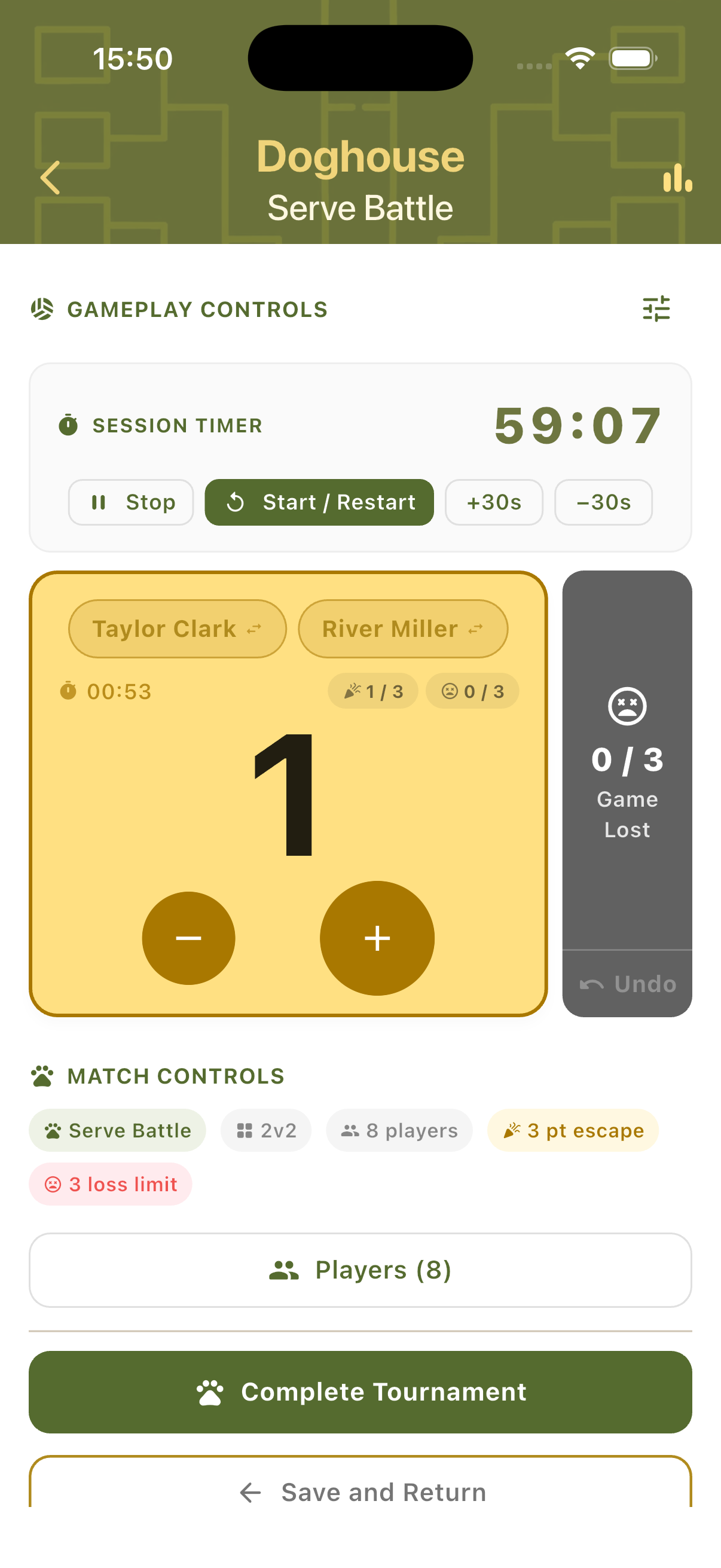
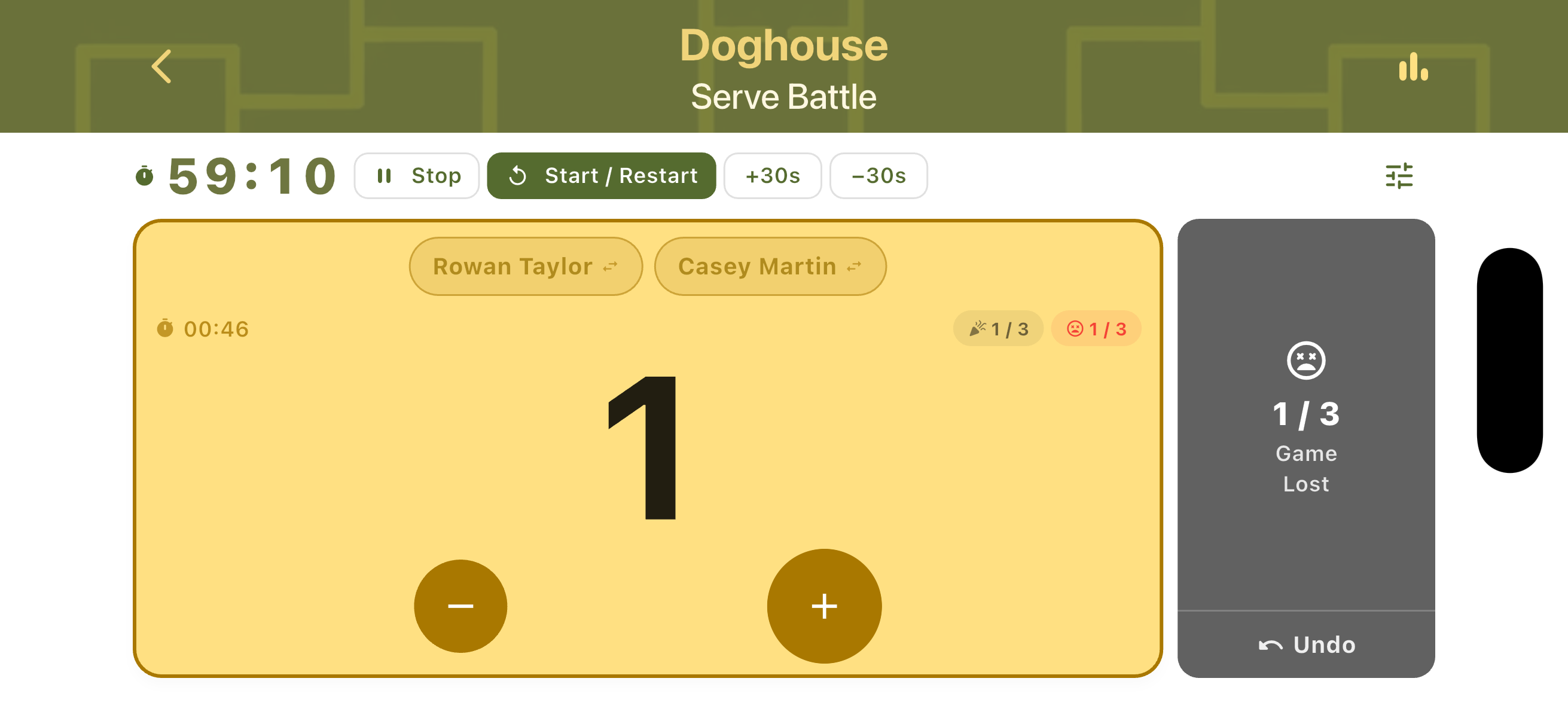
Session modes like Doghouse show additional counters alongside the score. The team card displays the escape progress counter (e.g. 1/3 escape points) and the loss counter (e.g. 0/3 losses) inline. A separate Game Lost panel on the right tracks cumulative losses with an Undo button. The session timer counts down in parallel across all games.
Landscape Mode
Every scorecard in TournaQ supports landscape orientation. Rotating the device rearranges the layout to suit a device placed flat on a table, mounted to a net post, or held sideways courtside. Controls move to the left column and team cards expand on the right. The layout varies slightly by mode to surface the most relevant information.
Quick Game
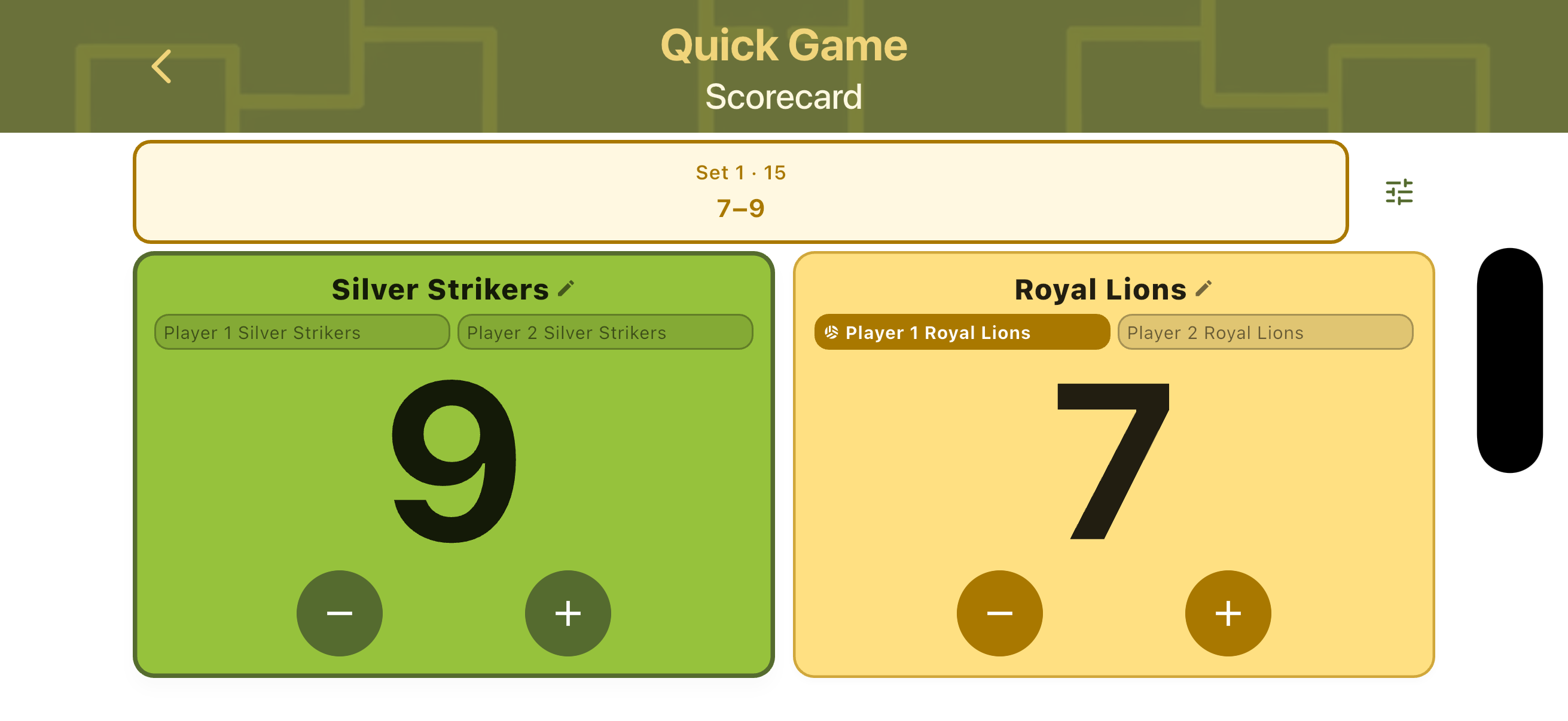
In landscape, the Quick Game scorecard shows the current set info and player names on the left, with large score digits and +/- buttons for each team on the right. The active server is highlighted. Useful for a flat net-post setup where portrait orientation is hard to read from the side.
Social Scrambles
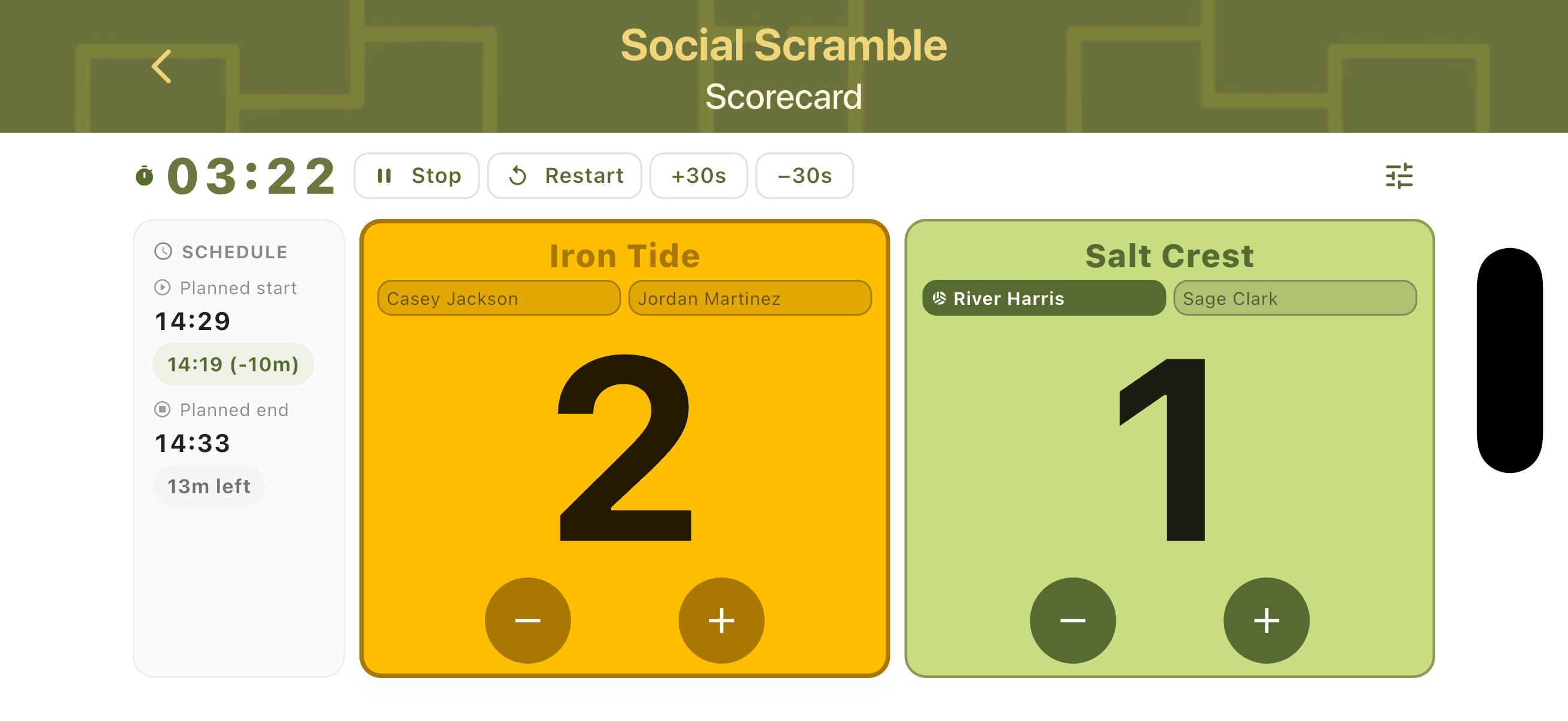
The Scramble landscape view moves the timer and timer controls to the left column. Both team cards stack vertically on the right with player names and score buttons. The schedule status and match context remain visible without scrolling. Well suited for placing the device alongside the court during timed matches.
Eliminations
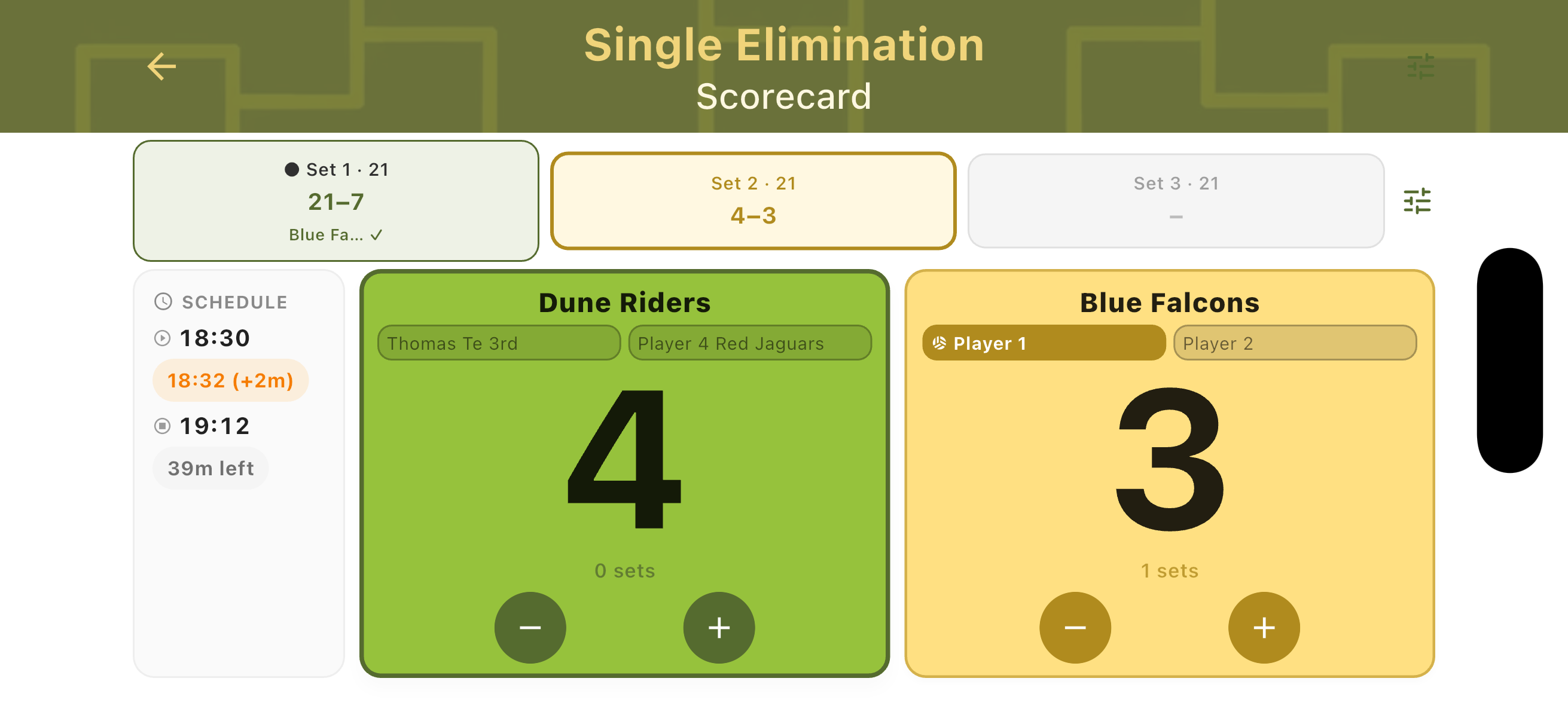
The Eliminations landscape scorecard places set tabs in the left column — showing completed set results and the active set score side by side. Team cards appear on the right. A schedule panel at the bottom shows the planned start time, actual start (with a delay indicator), estimated end, and minutes remaining in the schedule slot.
Kings of the Court
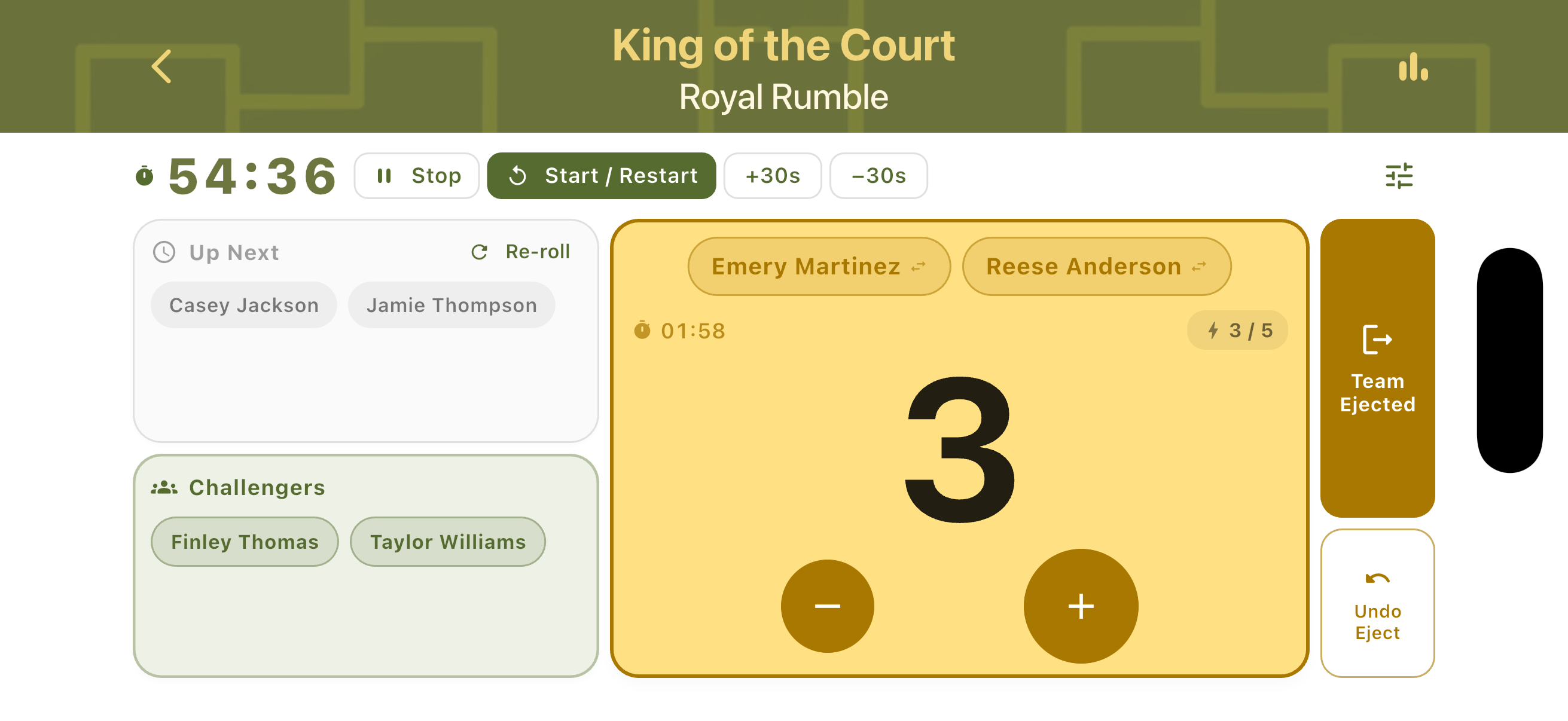
In King of the Court landscape, the session timer and controls (Stop / Start-Restart / +30s / −30s) appear in the left column. The Up Next and Challengers queue rows sit below. The defending team's card fills the right side with the score, player names, strike counter, and +/− buttons. The Team Ejected and Undo Eject buttons remain accessible at the top.
Doghouses
The Doghouse landscape layout shows the session timer and controls on the left. The In Doghouse team card occupies the right with the current score, player names, time on court, and escape/loss counters. The Game Lost panel appears above the team card on the right side. The layout keeps all critical information visible without scrolling during active play.
Match Control Features
Core point tracking, set management, and score correction are live across all modes. Completed matches are saved automatically with full history.
-
Available
Live point-by-point scoring
Tap to award points to either team in real time. The interface is optimised for one-handed use during active play.
-
Available
Set management
Automatic set tracking with configurable winning conditions. TournaQ handles the transition between sets without manual input.
-
Available
Serving player tracking
The active server is highlighted within the team card. Service changes when the non-serving team scores. The serving player indicator updates automatically on every point.
-
Available
Score correction
Undo the last point at any time. Mistakes during fast play can be corrected immediately without losing match state.
-
Available
Time Control
React to timeouts and other time-affecting events — restart, pause, add or remove time on the timer.
-
Available
Match result & history
Completed matches are saved locally on the device with full score history per set.
-
Available
Landscape scorecard
Rotate the device at any point to switch to landscape mode. All controls remain accessible in the rearranged layout — designed for net-post placement or table-side scoring.
-
Available
Hard Session Timing
Enforce a strict time limit on a session — the clock decides when it ends, not the players.
-
Available
Target Points Setting
Set individual Target Points, system will remind you that you have reached the target score
-
Available
Side Change Automation
When the combined score reaches the side-change point, TournaQ shows the Side Change dialog and swaps the counters automatically. Switch the automation off to swap sides manually with gesture control.
-
Available
Automatic Referee/Admin Suggestion
Get automatic and fair referee suggestions from the tournament player pool for all games in your tournament.
-
Available
Manual Gameplays
Some formats require dynamic administration because players are constantly rotating. With Manual Gameplay the admin selects the new team or players manually after each selection
-
Available
Automated Gameplays
Some formats require dynamic administration because players are constantly rotating. With Automated Gameplay player or teams are queued fairly and the admin only needs to take care of scoring and ejecting.
-
Available
Auto-Allplay Gameplay
Some formats require dynamic administration because players are constantly rotating. With Auto-Allplay Gameplay TournaQ automatically assignes and rotates game admins, so no one has to sit out.
Have a question about match scoring, spotted something missing, or want to suggest an improvement?