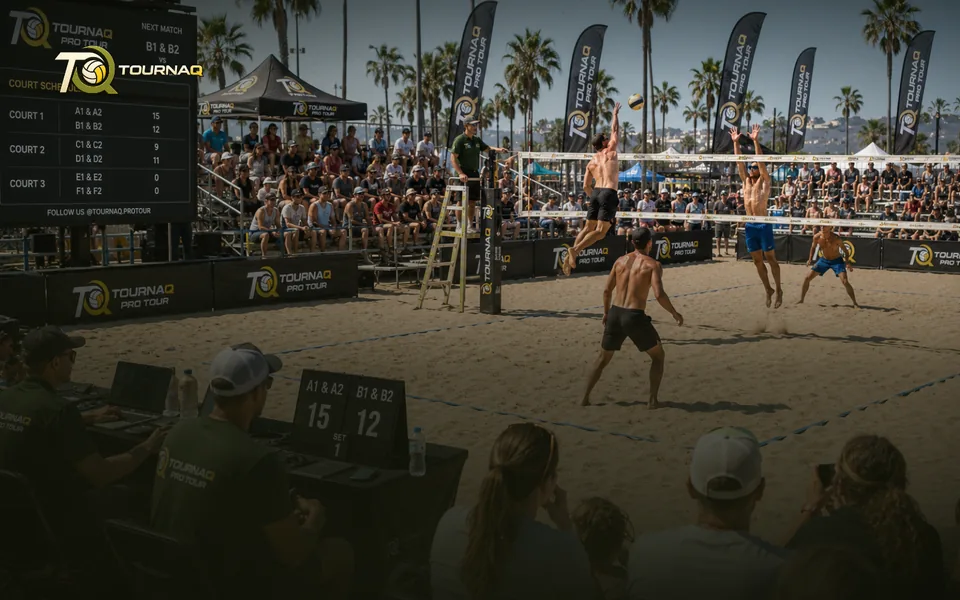
Running a TournamentKeep control over your tournament and change
settings as needed. Track results and progress.
settings as needed. Track results and progress.
Step 4
Running a tournament
Once it starts, the tournament screen is your control desk. Twelve things it does for you, grouped by what they are actually for.
Keeping time
The reason a session finishes when you said it would.
SchedulesEvery single game gets a time slot, so you always know what is left.
Pace controlsOptional. Shows you and the players when something is running early or late, while you can still react.
Court allocationsWho plays when and where, at a glance. Open and close courts as they become available.
Keeping people in it
Sessions never survive contact with real life unchanged.
Team and player managementSwap or eject teams mid-tournament. In scramble competitions, add or pause players without breaking the queue.
Start serving suggestionsTournaQ fairly suggests who serves first in every game across the tournament.
Referee suggestionsAnd who referees, drawn fairly from whoever is free.
Keeping control
Nothing is locked in once it starts.
Tournament overviewThe whole state on one screen. Adjust settings where you need to.
Scorecards with contextEvery game carries its own scorecard with the tournament data already on it.
Afterwards
What the session leaves behind.
Scorecard sharingHand scorecards to other devices and collect the results back. Paperless, and it works offline.
Copy tournamentSame people, same settings, new session.
XLS exportThe full data set, out of the app, for whatever you do with it next.
XLS results importOr track results in the exported sheet and read them back in.
Built to work without signal
Courts are outdoors and the wifi is somebody else’s problem. Scheduling, scoring and sharing all work with no connection at all.
Running it, mode by mode
LeaguesWhat the live screen shows for this mode.EliminationsWhat the live screen shows for this mode.TournaQ ClassicsWhat the live screen shows for this mode.Swiss SystemsWhat the live screen shows for this mode.Social ScramblesWhat the live screen shows for this mode.Royal ShufflesWhat the live screen shows for this mode.Royal RotationsWhat the live screen shows for this mode.Royal DuosWhat the live screen shows for this mode.Doghouse ShufflesWhat the live screen shows for this mode.
From the Live Tournament page · to review
A break is not the same as leaving
TournaQ keeps a player’s place and their points, and puts them back where they were.
Choose who, and for how longPick the player and whether they are out for this round only or until you bring them back. Everything they have already banked stays with them.
What happens to their seatTheir spot becomes an anonymous placeholder so anyone courtside can step in, and nothing else is reshuffled — the rest of the draw is untouched.
Bringing them backReturn them and they slot back into the rotation. Nobody else’s position moves, and the schedule does not have to be rebuilt.
Someone steps in
A stand-in on a live courtThe placeholder left by a break or an ejection can be filled by whoever is available, so the round runs on time instead of playing three against four while you find somebody.
Changing the challengersIn the rotation formats, the pair due on next can be swapped by hand — for the player still tying a shoelace, or the one who has just walked in.
Choose who, and for how long
Pick the player and whether they are out for this round only or until you bring them back. Everything they have already banked stays with them.
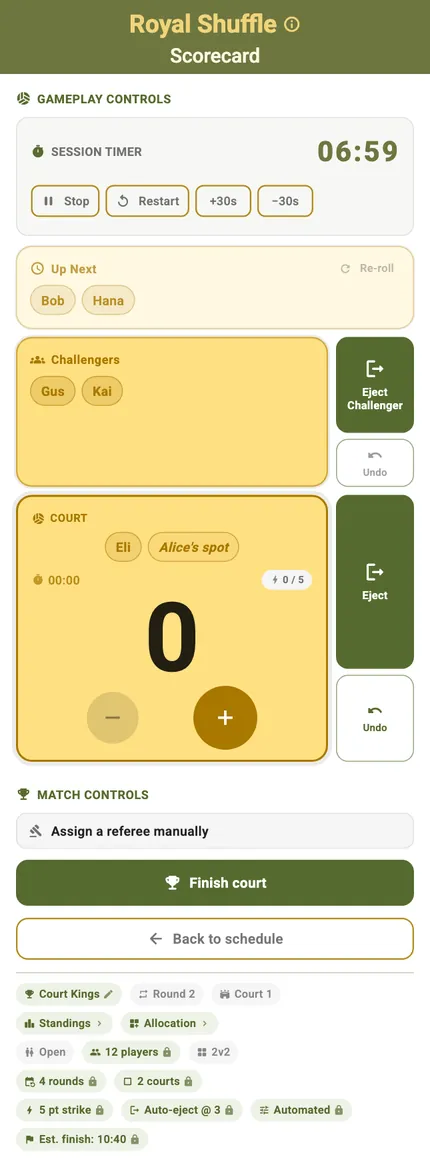
A stand-in on a live court
The placeholder left by a break or an ejection can be filled by whoever is available, so the round runs on time.
Two ways to absorb it
The hard case: a player going home mid-session has to be handled without invalidating the evening so far. TournaQ asks which you want rather than choosing for you, because the right answer depends on how much of the session is left.
Re-pair the remaining rounds — The draw is rebuilt without them, so nobody sits out a round that was meant to be full
Leave the seat as a placeholder — Nobody else’s pairings move, and anyone courtside can step into it
Either way — The games they have already played still count towards the ranking
The player list is the control panel — Everyone in the session with their games and points, and on each row the four things you need mid-evening: pause, rename, swap, remove
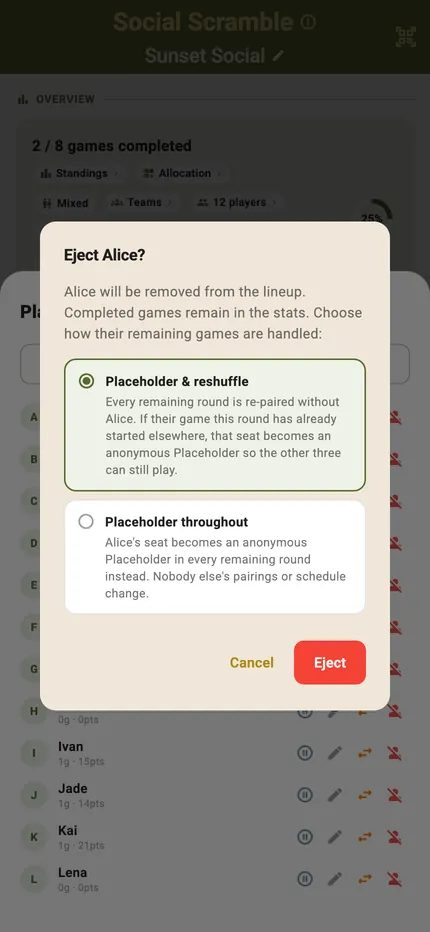
Someone has to leave
Re-pair the remaining rounds without them, or leave their seat as a placeholder so nobody else’s pairings move.
From the Device & Screen and Tournament Management pages · to review
Two more things this page does
Long screens scroll rather than shrinkA fifteen-match schedule or a full bracket is longer than any phone. Every fixture, every court, every time slot — scrolled rather than squeezed, and the same page on a tablet simply shows more of it at once. Brackets and crosstables get their own canvas: pinch to zoom, drag to pan, and tap a team to trace its path.
Imported scorecards, kept apartResults that arrived from other devices sit on their own tab in the hub, next to your own history, so it stays obvious which were scored here and which were not.
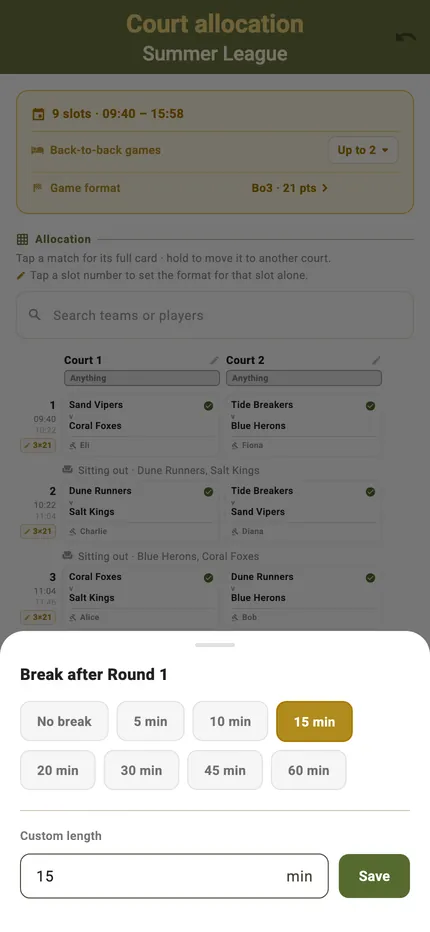
The organiser’s view is a phone screenProgress, settings and the schedule on one screen; the whole court plan — every round against every court — legible on a phone rather than requiring a laptop.
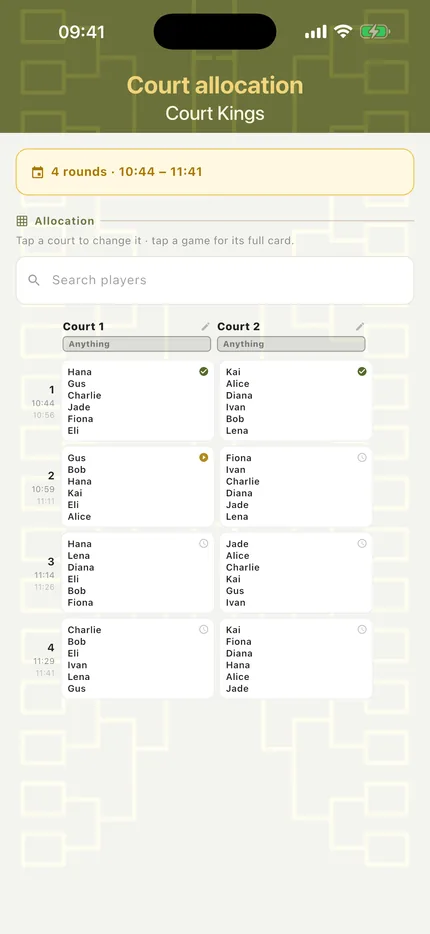
Court allocation on a phone
The whole plan — every round against every court — legible on the device you are already holding.

Imported scorecards, kept apart
Results that arrived from other devices sit on their own tab in the hub, next to your own history.

TournaQ Volley
The tournament engine — get the app