Scorecard
Scramble scorecard
The same counting, on a clock. Scramble rounds end when time runs out, not when somebody reaches a number — so sets and target points come off the card.
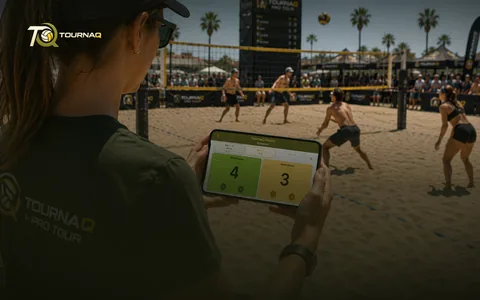 Scorecards
What it does
Points match historyCounts and shows every point made by either team during their service.
Serving change automationTells you whose serve it is, at any moment.
Gesture side switchSwap sides yourself, with a gesture, whenever you want.
Game timerThe round runs to a hard time limit. When it ends, everyone regroups.
Why the timer decides
Every court has to finish together, or the next scramble cannot be drawn. The clock keeps the whole session in step.
Used by
Social Scrambles.
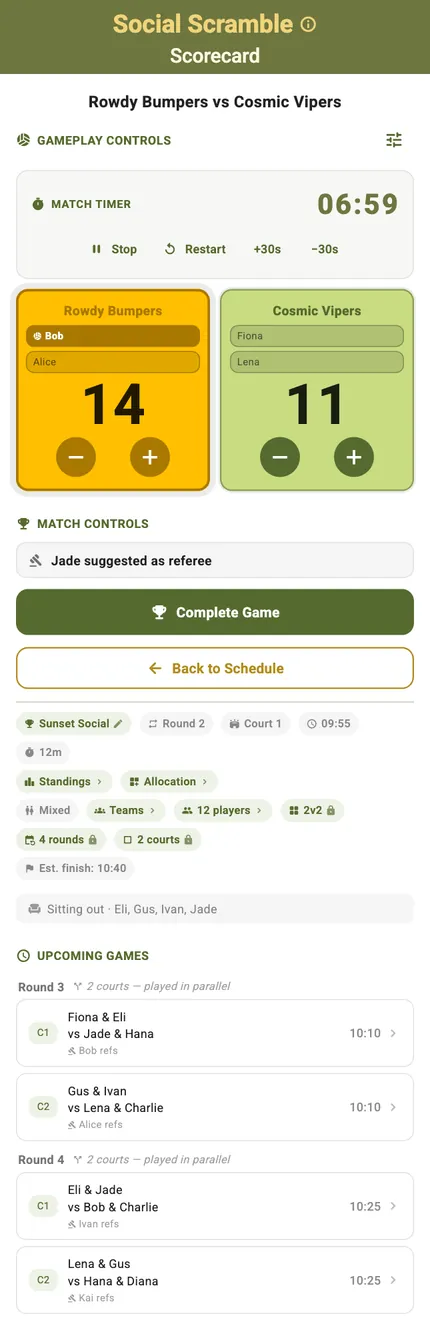
The card, top to bottom
The clock sits where the set overview sits on the classic card, because the clock is what ends the round. Under the score: the referee, the event in its pill row, who is sitting this one out — and the games still to come, so whoever holds the phone knows what happens next.
Every control on the card
The scramble card, top to bottom
ControlWhat it doesWhen you see it
The pill row
What it doesEvent name — editable, because a name re-forms nothing — then round and court, and Standings, Allocation, Teams and the player count. Format, rounds and courts edit here only on a single-court session.
When you see itUnder the title
Round timer
What it doesThe countdown that ends the round, with Stop, Resume and Start / Restart. A pause freezes the remaining time and stores it, so leaving the page does not cost you the clock.
When you see itAlways
Serves-first banner
What it doesWho starts the round serving.
When you see itUntil the first point
Referee banner
What it does“{name} refs”, or “Assign a referee manually”.
When you see itWhen this court has a referee slot for the round
Score buttons
What it doesPlus and minus per side, with service passing to whoever scored. The score cannot go below zero.
When you see itAlways
Player pills
What it doesTap a player to send them off: “{name} is on a break — their seat is a Placeholder.” Tap the stand-in to bring them back: “{name} is back in the rotation.” With nothing left to come back to: “No round left to sit out.”
When you see itWhile a later round can bring them back
Upcoming games
What it doesThe next games still to play, grouped by round, each with its referee and a note when courts run in parallel.
When you see itBelow the card
App-bar QR menu
What it does“Export scorecard”, and “Manually Set Score” for a game played away from the phone.
When you see itWhile the board is live
Back
What it does“Back to Schedule” on your own device, “Back to Hub” on an imported card.
When you see itBottom of the card
Landscape
What it doesTurn the phone and the same controls rearrange for a net post or a side table.
When you see itAny time
Scoring it without this card
Two ways round the card
A scramble round moves fast and the phone is not always at the right court. Both of these end in the same standings the card would have produced.
Export scorecardHand the game to another phone as a QR code. The card that arrives carries its round, its court and its players, and lists the games still to come as a frozen snapshot.
Manually Set ScoreFor a game played without live scoring, or one the clock ran out on: type the final score for both sides and complete the game.
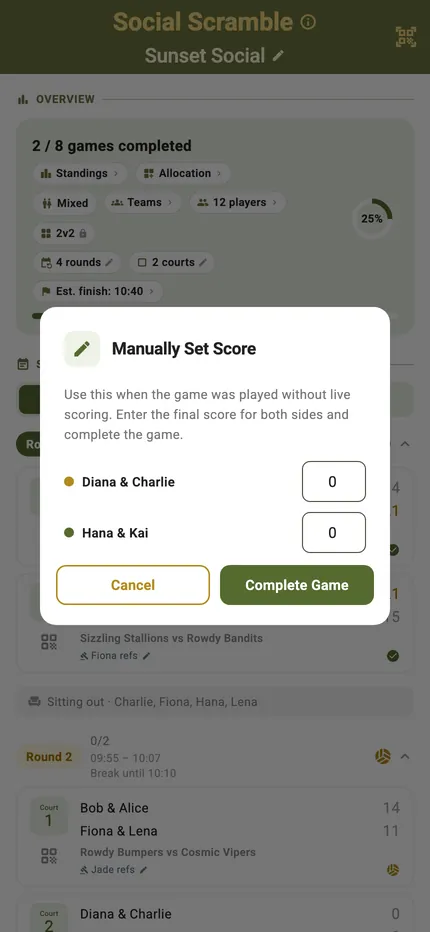
Writing a score in by hand
Opened from the schedule rather than the card: “Use this when the game was played without live scoring. Enter the final score for both sides and complete the game.” A scramble game is one race to a number, so it is one box per side — no sets to fill in.
Scoring it, mode by mode

TournaQ Volley
The tournament engine — get the app