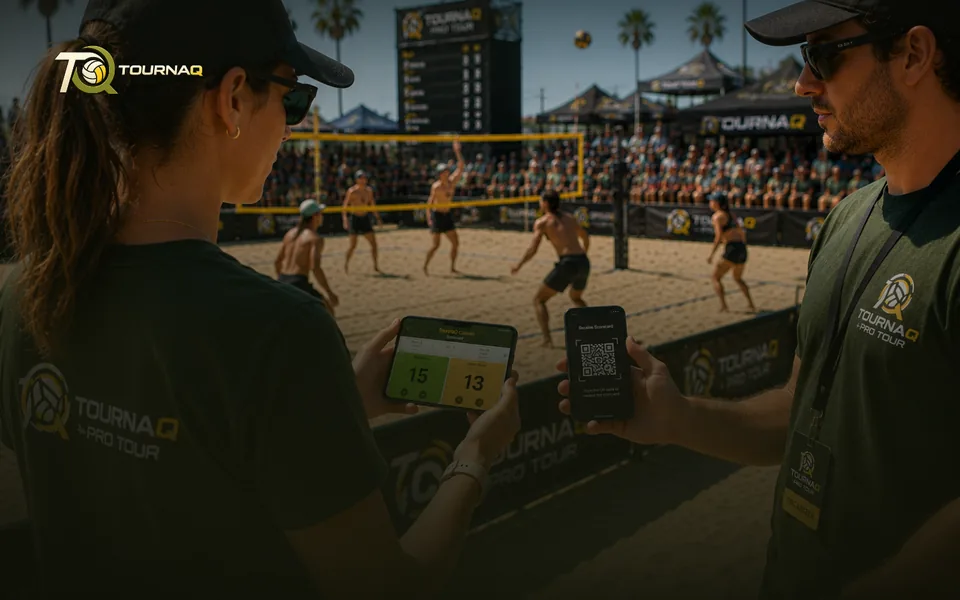
Exported ScorecardLeverage the offline functions of TournaQ and hand
scorecards of your tournament over to your
assigned referees by QR code.
scorecards of your tournament over to your
assigned referees by QR code.
Sharing
Exported scorecard
You cannot stand at four courts at once. Hand a scorecard to whoever is standing at the other three.
How it works
1
Export the cardTournaQ turns the game — or a whole court — into a QR code.
2
They scan itOn their own phone. No account, no install of your tournament, no connection needed.
3
They score the gameA full scorecard on their side, with the right teams and format already on it.
4
You collect the resultScan it back and the result drops into your tournament.
Paperless and offline
The whole exchange is two QR codes. Nothing goes through a server, so it works on a beach with no signal exactly as well as it does indoors.
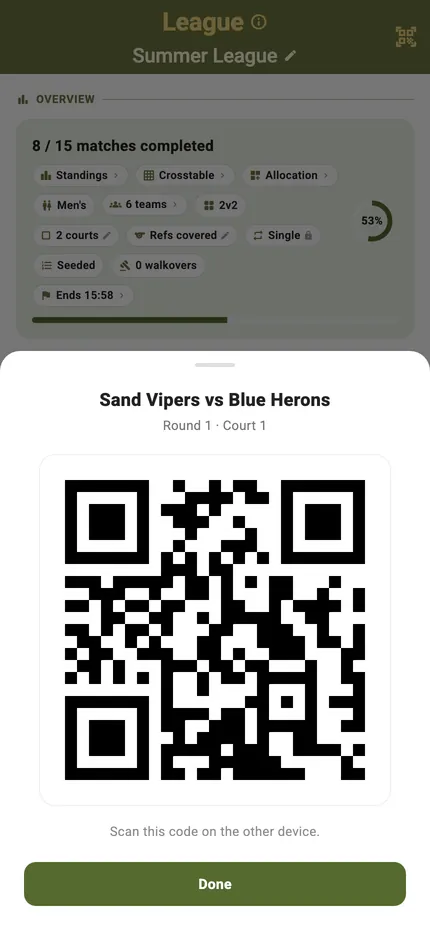
The code that hands it over
The sheet names the match it is about to give away — who is playing, which round, which court — and then it is one code on a screen. “Scan this code on the other device.” Nothing is sent anywhere; the whole match fits in the picture.
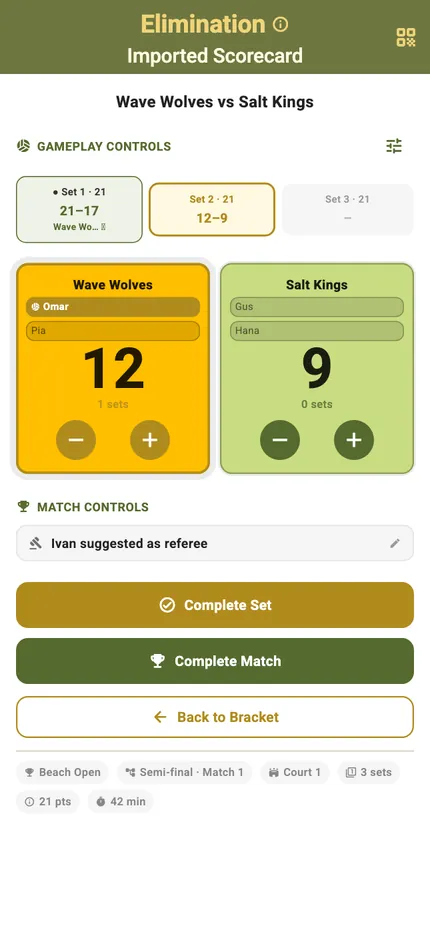
The same card, on their phone
What arrives is the ordinary classic scorecard, scored exactly the way it would be at home — but the header says “Imported Scorecard”, the pill row carries the host’s own position (“Semi-final · Match 1”) rather than the borrowed phone’s idea of it, and there is no schedule underneath to go back to.
What changes on a borrowed card
The imported card
ControlWhat it doesWhen you see it
It writes nowhere but back
What it doesEverything scored on a borrowed card stays on that phone until the result QR is scanned back. It never touches the host’s tournament store.
When you see itAlways
“Export result”
What it doesWhere your own card offers “Export scorecard”, an imported one offers the result instead — and refuses early: “Finish the match before exporting the result.”
When you see itOnce the match is complete
The real position
What it doesThe card carries the host’s own round — “Quarter-final · Match 3” — rather than the receiving phone’s idea of it.
When you see itUnder the title
Read-only event
What it doesThe event name and the roster are the host’s, so they are stated rather than offered. Every other event setting is locked with “Not from here”.
When you see itThe pill row
Upcoming games, frozen
What it doesAn imported card lists what the host’s schedule looked like at the moment it was shared: “Snapshot from when this was shared — the schedule may have changed since.”
When you see itScramble and queue cards
Back to Hub
What it doesThere is no schedule underneath a borrowed card, so it returns to the hub instead.
When you see itBottom of the card
Coming home
What it doesOn the host phone the scanner takes it back: “Result imported.” A code from elsewhere is refused — “This result is for a different tournament.” — and a code that is not a result at all says so.
When you see itThe tournament page
What travels, mode by mode
A match, or a whole court
Team competitions and scrambles hand over one game at a time. Queue modes hand over the court itself — the queue behind it included — because a court, not a match, is the unit that gets refereed.
Scoring a League matchOne match travels, with its round and match number on it.Scoring an Elimination matchOne tie travels, carrying its place in the bracket.Scoring a TournaQ Classic matchOne match travels, carrying its phase and its tier.Scoring a Swiss System matchOne pairing travels; the next round pairs when it comes back.Scoring a Social Scramble matchOne timed game travels, with the upcoming games frozen as a snapshot.Scoring a Royal Shuffle matchA whole court travels — queue, challengers and all.Scoring a Royal Rotation matchA whole court travels, pairs redrawn on the borrowed phone.Scoring a Royal Duo matchA whole court travels, with the duos fixed as they left.Scoring a Doghouse Shuffle matchA whole court travels, both thresholds set as the host set them.

TournaQ Volley
The tournament engine — get the app