Scorecard
Classic scorecard
The full match scorecard: sets, target points and side switches, for every mode where two fixed teams play a match out.
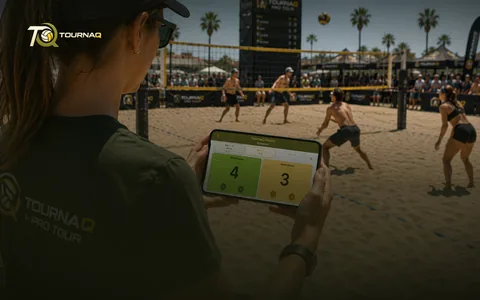 Scorecards
What it does
Points match historyCounts and shows every point made by either team during their service.
Serving change automationTells you whose serve it is, at any moment.
Variable target sets1, 3, 5 or any custom number of sets to win.
Variable target points15, 18, 21 or your own number — win by two.
Side switch automationReminds you to change ends and swaps the counter with you, so nobody loses track.
Gesture side switchOr turn the automation off and swap sides yourself with a gesture.
Used by
Leagues, Eliminations (single and double), TournaQ Classics, Swiss Systems — and Quick Game.
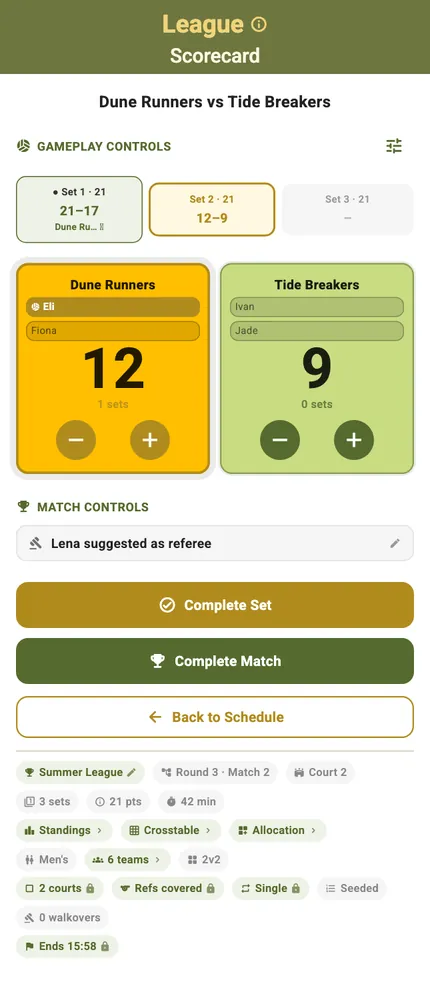
The card, top to bottom
Sets across the top, the two teams under them with a plus and a minus each, the match controls below, and the event stated in the pill row at the foot. Every mode in the list above scores on this card — what changes between them is the line that says where the match sits, and little else.
Every control on the card
The classic card, top to bottom
ControlWhat it doesWhen you see it
The pill row
What it doesMatch context — event name, position, court, sets, target points, duration — plus the event settings, locked here because the tournament page owns them. The roster is the exception: it is the one setting this card writes itself.
When you see itUnder the title
Schedule card
What it doesThis match’s planned start and end, and “Over schedule!” when it runs long.
When you see itOnly while pace alerts are on for the event
Set overview
What it doesOne card per set with its score; tap one to make it the active set.
When you see itFormats of more than one set
Serves-first banner
What it doesWho starts the match serving, before anyone has scored.
When you see itUntil the first point — dropped in landscape for room
Referee banner
What it does“{name} suggested as referee”, or “Assign a referee manually”.
When you see itWhen the event reserves referees
Score buttons
What it doesPlus awards the point to that side, minus takes one back. Service passes to whoever just scored and the rotation moves on a slot. The score cannot go below zero.
When you see itUntil the set or match is complete
Side-change reminder
What it does“Total score is {score}. Teams must switch sides now.” Confirm with “Sides Switched — Continue” and the counters swap with you.
When you see itWhen the format carries a side-change interval
Target-reached prompt
What it does“{team} reached the target. Set {set} is won.” — then “Complete Set” (or “Complete Game”), or “Keep Playing” if the day’s rules say win by two.
When you see itOn reaching the target score, while the format’s prompt is on
Match Options
What it does“Swap Sides — Switch left and right display”, “Change Service — Advance to next server”, “Match History — View point-by-point history”.
When you see itThe slider icon beside Gameplay Controls
Match History
What it doesThe rally-by-rally timeline, grouped by set — “Set {n} · to {target}”, ending in “Final: {s1} – {s2}”.
When you see itFrom Match Options
Lock banner
What it does“Match complete” with the winner’s name, or “Set complete — undo set to edit score”. The score buttons go quiet behind it.
When you see itOnce a set or the match is finished
Match controls
What it does“Start Match” before the first point; then Complete / Undo Set on multi-set formats, Complete / Undo Game, and “Back to Schedule”.
When you see itBottom of the card
App-bar QR menu
What it does“Export scorecard” hands the match to another phone; “Manually Set Score” writes the final score straight in.
When you see itAt 0–0 and again once complete — hidden mid-match, so nobody exports half a game
Landscape
What it doesTurn the phone and the same controls rearrange for a net post or a side table.
When you see itAny time
What each mode does with it
What differs, mode by mode
ModeWhat is different hereThe full card, control by control
Leagues
What is different hereThe position reads “Round {n} · Match {m}” — a league has no bracket to read one from — and the Crosstable opens from the pill row.
The full card, control by controlScoring a League match
Eliminations
What is different hereA guard once the following match has started: “The next match has already started, so the winner of this match can’t change. You can still correct the points as long as the same team wins.” Byes open from the pill row.
The full card, control by controlScoring an Elimination match
TournaQ Classics
What is different hereThe position names the phase and the tier the match belongs to.
The full card, control by controlScoring a TournaQ Classic match
Swiss Systems
What is different hereCompleting the last match of a round pairs the next round immediately — the card runs that reconcile itself.
The full card, control by controlScoring a Swiss System match
Quick Game
What is different hereTarget score and side swap are dropdowns on the card, because there is no tournament to inherit them from. The options sheet says “Swap Teams”, the card closes with “Save & Return to Games”, and tapping a team name edits the lineup. No schedule card and no referee banner.
The full card, control by controlScoring a Quick Game
Scoring it without this card
Two ways round the card
Not every match is scored on the phone that owns the tournament. Both of these end in the same standings the card would have produced.
Export scorecardHand the match to another phone as a QR code. They score it on a full card of their own — right teams, right format, no signal needed — and you scan the result back.
Manually Set ScoreFor a match played while you were looking the other way. Write the final score straight in, set by set, without opening a card at all.
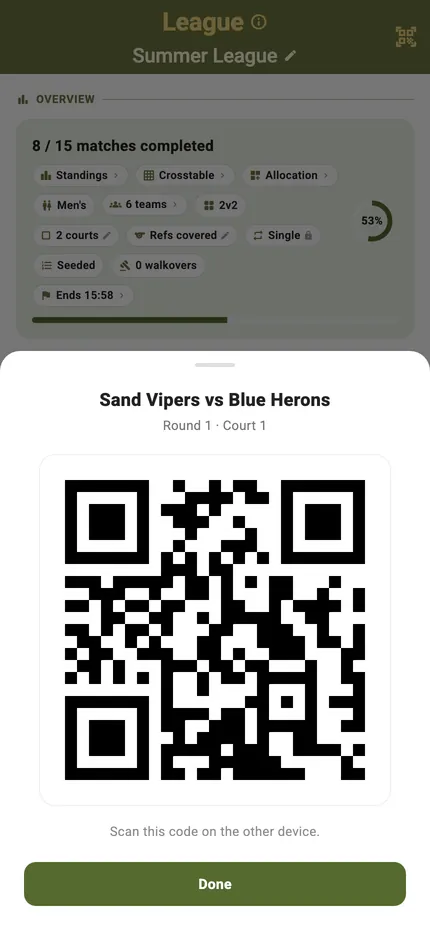
Handing the match over
The sheet names the match it is about to give away — who is playing, which round, which court — and then it is one code on a screen. Nothing is sent anywhere; the whole match fits in the picture.
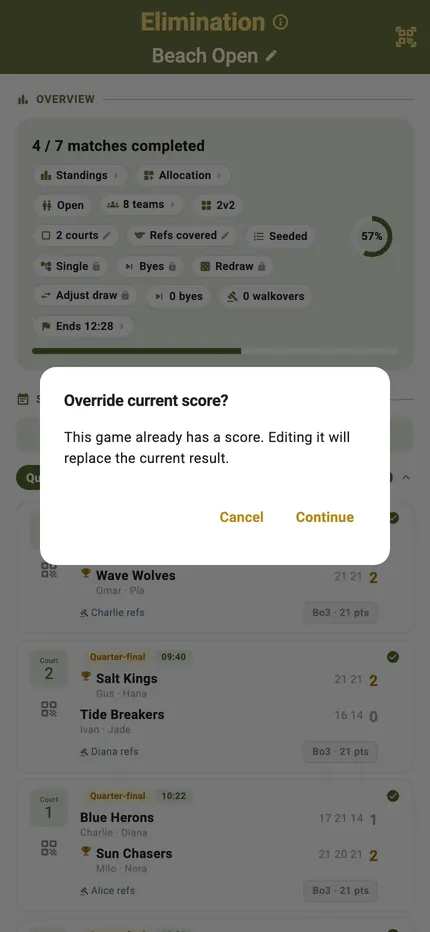
Writing a score in by hand
Manually Set Score is offered from the schedule as well as from the card, so a match nobody opened can still be recorded. Where a result already stands it asks first — “This game already has a score. Editing it will replace the current result.” — so a finished match is never overwritten by a stray tap.
Scoring it, mode by mode
Scoring a League matchThe card with a round and a match number on it, and the Crosstable one tap away.Scoring an Elimination matchThe card carrying its place in the bracket — single and double alike.Scoring a TournaQ Classic matchThe card naming the phase and the tier the match belongs to.Scoring a Swiss System matchThe card that pairs the next round the moment the last one lands.Scoring a Quick GameThe same card with no tournament behind it — the format lives on the card itself.

TournaQ Volley
The tournament engine — get the app